
Appearance
Sales Reports
Go to the Reports module
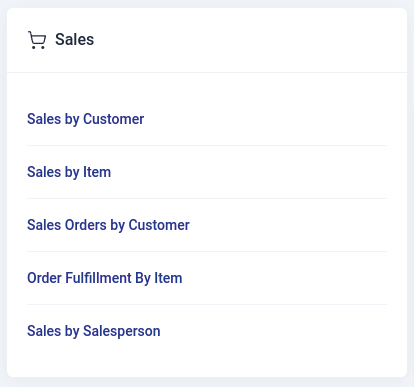
Generating Report
To generate a customized report in the sales section:
Select the report type to go to the report view page..
Choose the branch for the report.
Set the time period using the date picker and click 'Select.
Click 'Run Report' to generate it.
Use the print feature to print the report.
The type of reports that can be generated in sales include:
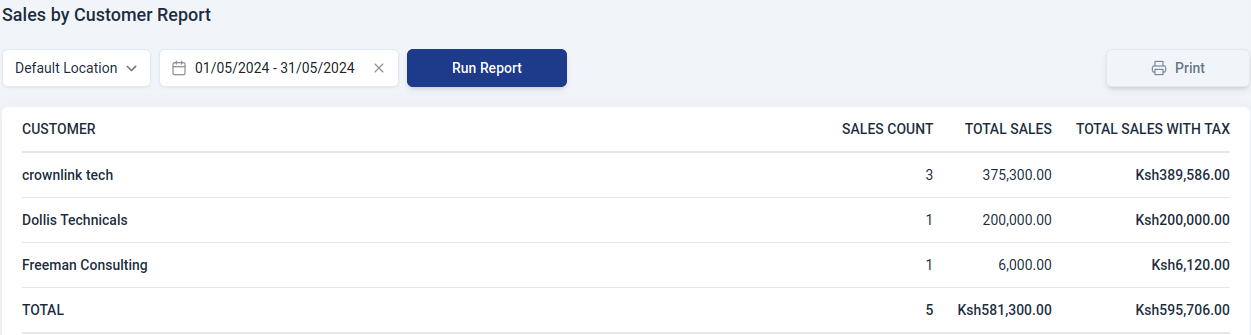
1. Sales by Customer report
This report provides a concise overview of all the invoices generated for your organization's various customers. It excludes invoices in the draft status from the summary. The report has the following sections:
- Customer
Name of the customer.
- Sales Count
Total invoices generated for the customer.
- Total Sales
The sum of all invoices generated for the customer, excluding taxes.
- Total Sales with Tax
The sum of all invoices generated for the customer, including taxes.
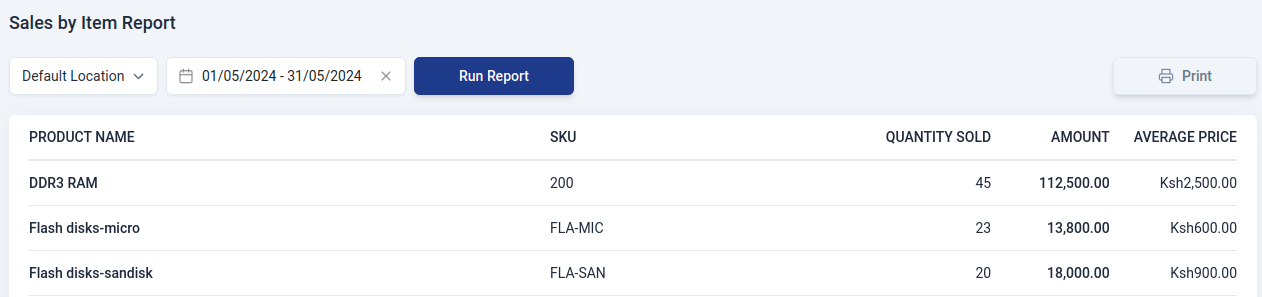
2. Sales by Item report
This report summarizes all sold items in your organization, providing average prices for each.The report includes:
- Product Name
Name of Item.
- SKU
Stock keeping unit of the item.
- Quantity Sold
Number of items sold.
- Amount
Total money received for the items sold.
- Average Price
Average price for all the items sold in your organization.
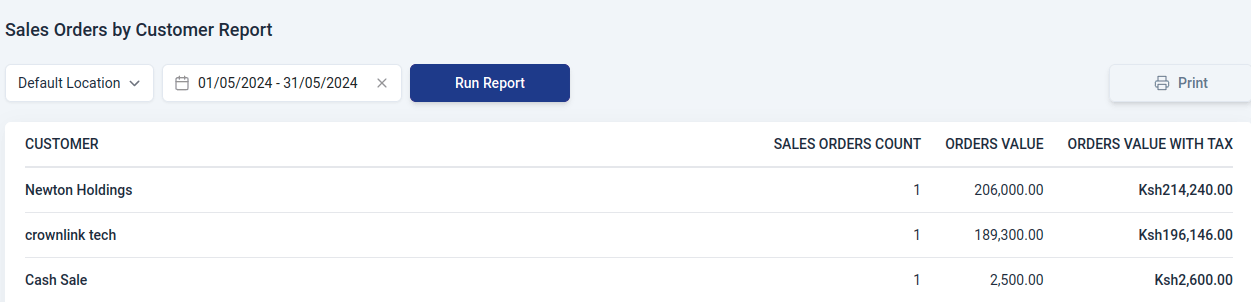
3. Sales Orders by Customer report
This report summarizes all sales orders created for a customer.The report includes:
- Customer
Name of the customer.
- Sales Orders Count
Total number of sales orders generated for the customer.
- Orders Value
Total amount of the sales orders exclusive of tax.
- Orders Value with tax
Total amount of the sales orders inclusive of tax.
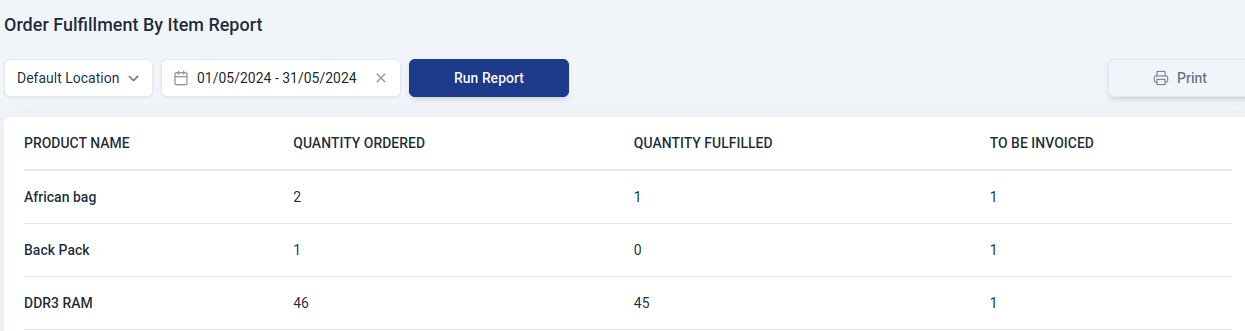
4. Order Fulfillment by Item report
This report shows how well certain items are getting sent to customers. It helps see if things are being shipped out smoothly.The report contains:
- Product Name
Name of the item.
- Quantity Ordered
Number of items requested by the customer.
- Quantity Fulfilled
Number of items shipped/delivered to the customer.
- To be invoiced
Items or orders that are ready or pending to be invoiced.
5. Salespersons Report
This report can be generated based on sales orders, invoices and credit notes. It gives the total amount of sales made by a salesperson, allowing you to analyze the salesperson's performance during that period. The report contains:
- Salesperson
Name of the salesperson.
- Total Sales
Total amount of sales made by the salesperson.
- Balance Due
Total amount of money that is yet to be paid by the customer.
- Total Credits
Total amount of credit notes issued by the salesperson.
- Credits Balance
Total amount of credit notes that are yet to be paid by the customer.
- Total
Total amount of sales made by the salesperson.