
Appearance
Inventory Settings
General
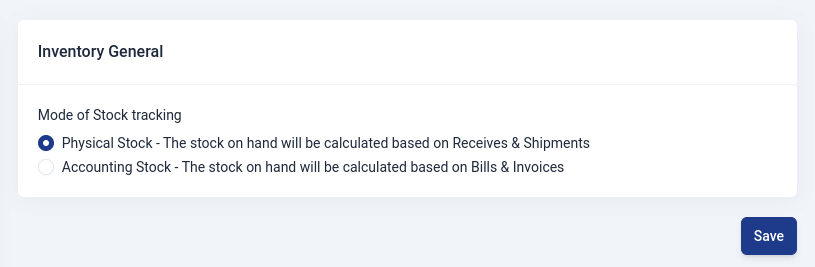
Here,you choose the mode of tracking inventory for your business.
- Physical Stock
The physical stock on hand is determined by keeping track of the items your business receives and the items it ships out.
- Account Stocking
This is a way of determining how much of a product a business has on hand, but it relies on information from bills and invoices.
Products and Services
In the first section, you can choose the decimal rate for item quantity, measurement item dimensions, measurement item weights.
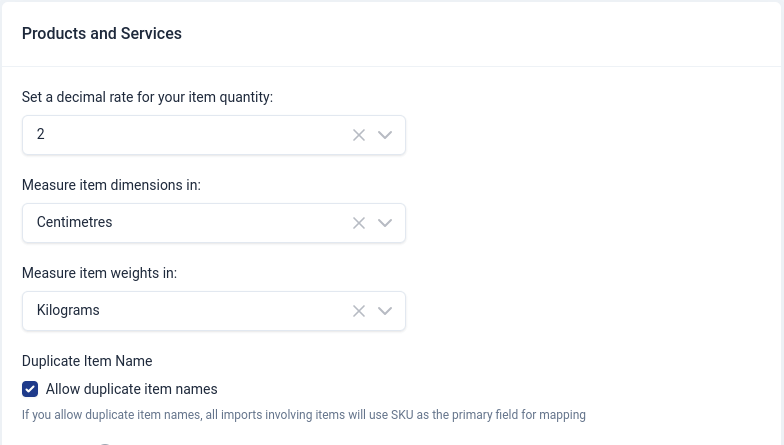
Duplicate Item Names
Here,you can choose this option to allow duplicate item names.
Price Lists
Here,you choose whether to enable Price Lists and if you want to apply a price list on each item in a transaction.
A price list with rounding based on decimal values typically involves specifying how the prices should be rounded to a certain number of decimal places. The number of decimal places to which a price is rounded can depend on various factors, such as industry standards, regulatory requirements, or simply the preference of the business.
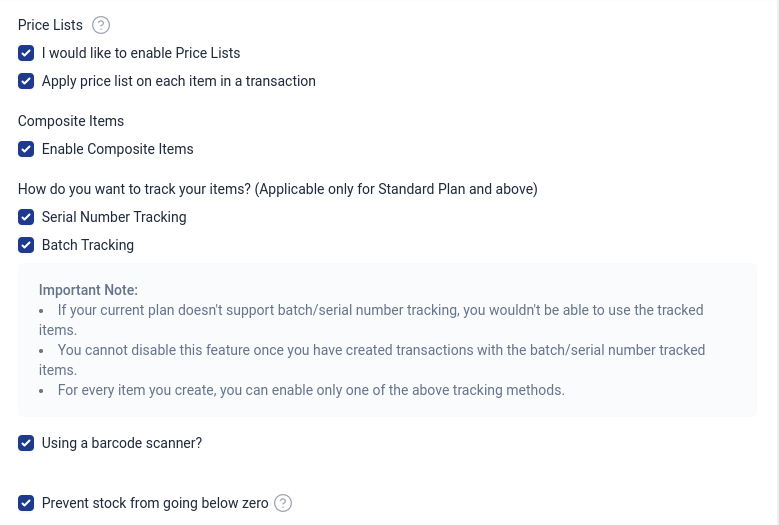
Tracking Items
In Upscale ERP, inventory can be tracked by two methods through:
- Serial numbers
A serial number is unique and individualized combination of numbers, letters, or symbols assigned to a specific item, product, or component.
- Batches
Also known as batch tracking, is a method of monitoring and managing groups of items or products that were manufactured or processed together during a specific production run or time period.
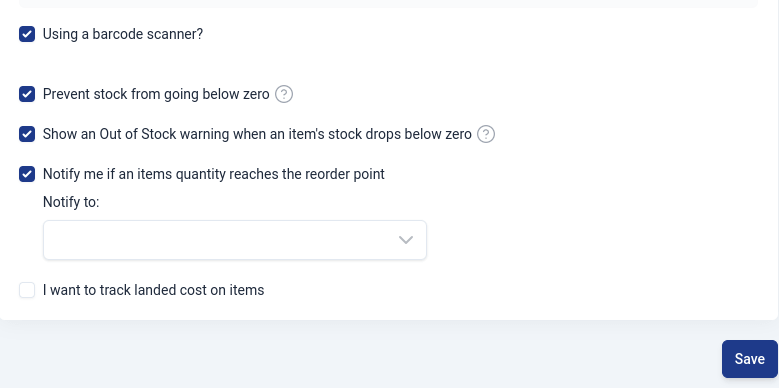
Preventing stock from going below zero
If you choose this option,you will not be able to perform any action that will result in your your stock going below zero.
Show an Out of Stock warning when an item's stock drops below zero
If you select this, a warning will show when a transaction results in the stock dropping below zero.
Notify if an items quantity reaches the reorder point
Here,you can choose whether to be notified with a custom message when your items quantity reaches a reorder point.
Tracking landed cost on items
This refers to keeping a record of the total cost incurred to acquire and bring a product to its final destination, including not just the initial purchase price but also additional costs associated with shipping, handling, customs, and other expenses related to getting the product into inventory.